
Simulate conveyors, robots and machines with a built‑in PLC.
Build a line, a cell or a machine in 3D from catalog parts or your own, program it in IEC 61131‑3 Structured Text or Ladder Diagram, and press run. Free and open source, in your browser or as a desktop app.
Or build your first line with the guided tutorial →Your logic runs on a scan cycle, as it would on a PLC.
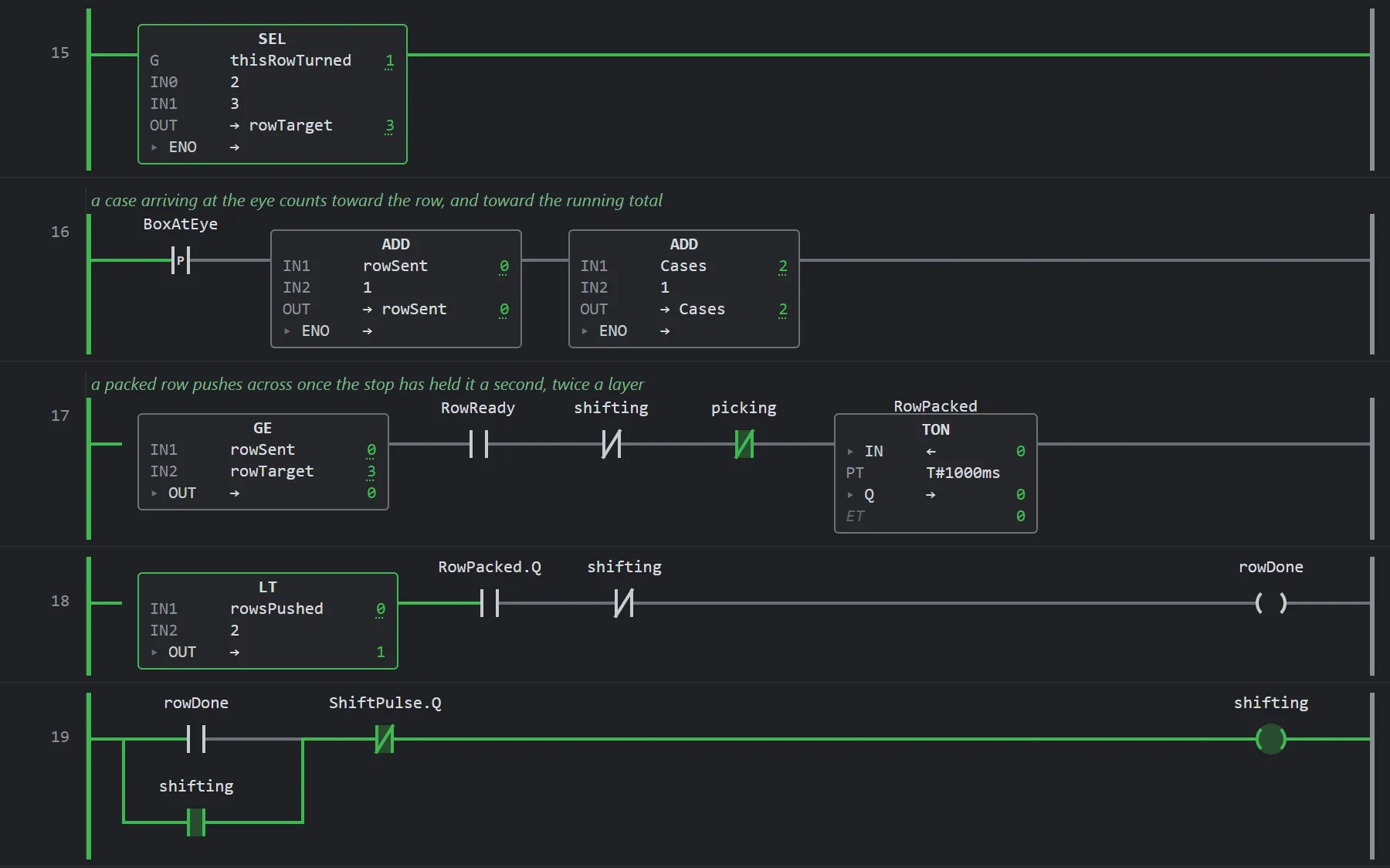
FIG. 2 Palletizer program, rungs 15–19, line running Green is power flow on this scan. The numbers are live values.
IF NOT Enable THEN
  State := 0;
ELSE
  CASE State OF
    0: IF A1 AND NOT A2 THEN State := 1; END_IF;
    1: IF NOT A1 THEN State := 0;
       ELSIF A2 THEN State := 2; Broken := FALSE; END_IF;
    2: IF NOT Ossd THEN Broken := TRUE; END_IF;
       IF Broken AND Ossd AND NOT (A1 OR A2) THEN State := 0; END_IF;
    9: IF NOT (A1 OR A2) THEN State := 0; END_IF;
  END_CASE;
END_IF;
Limit(IN := State = 2, PT := MaxTime);
IF Limit.Q THEN State := 9; END_IF;
Muted := State = 2;
Expired := State = 9;
Clear := Ossd OR Muted;
Draw ladder rungs or write Structured Text, and bind each variable to a photo-eye, a motor or a diverter by tag. Each scan reads the inputs, runs the logic and writes the outputs, every 10 ms in the demo, so timers, edges and interlocks keep the timing they would have on hardware.
The ladder above calls this function block once for each light curtain it mutes.
What the engine accepts, and how it's tested →Build from catalog parts, or make your own.
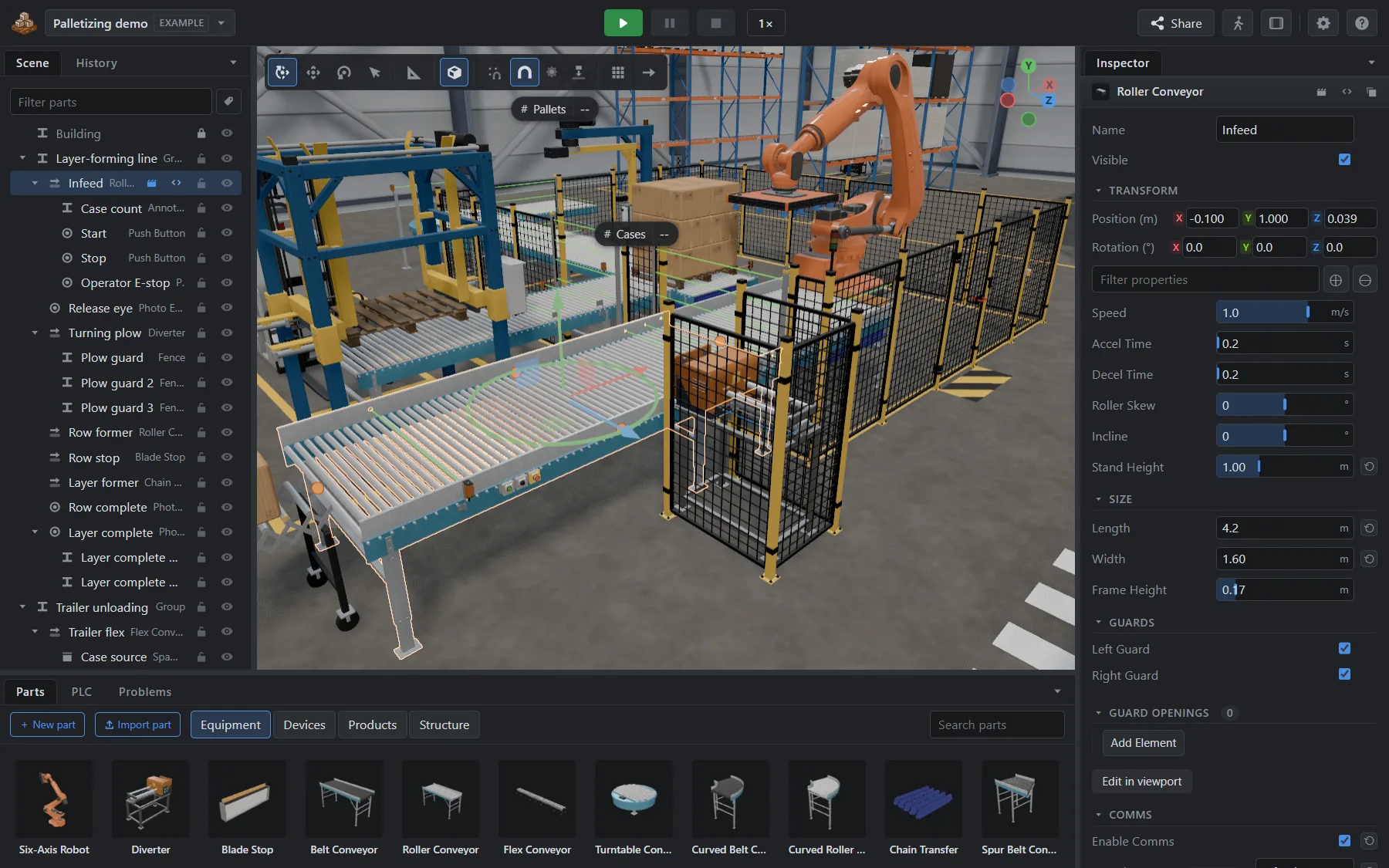
Snap parts together, then set them up
Drag conveyors, sensors and robots from the catalog and they snap end to end. Set speed, length, stand height and guards in the Inspector. Cartons are rigid bodies, so they jam and back up.
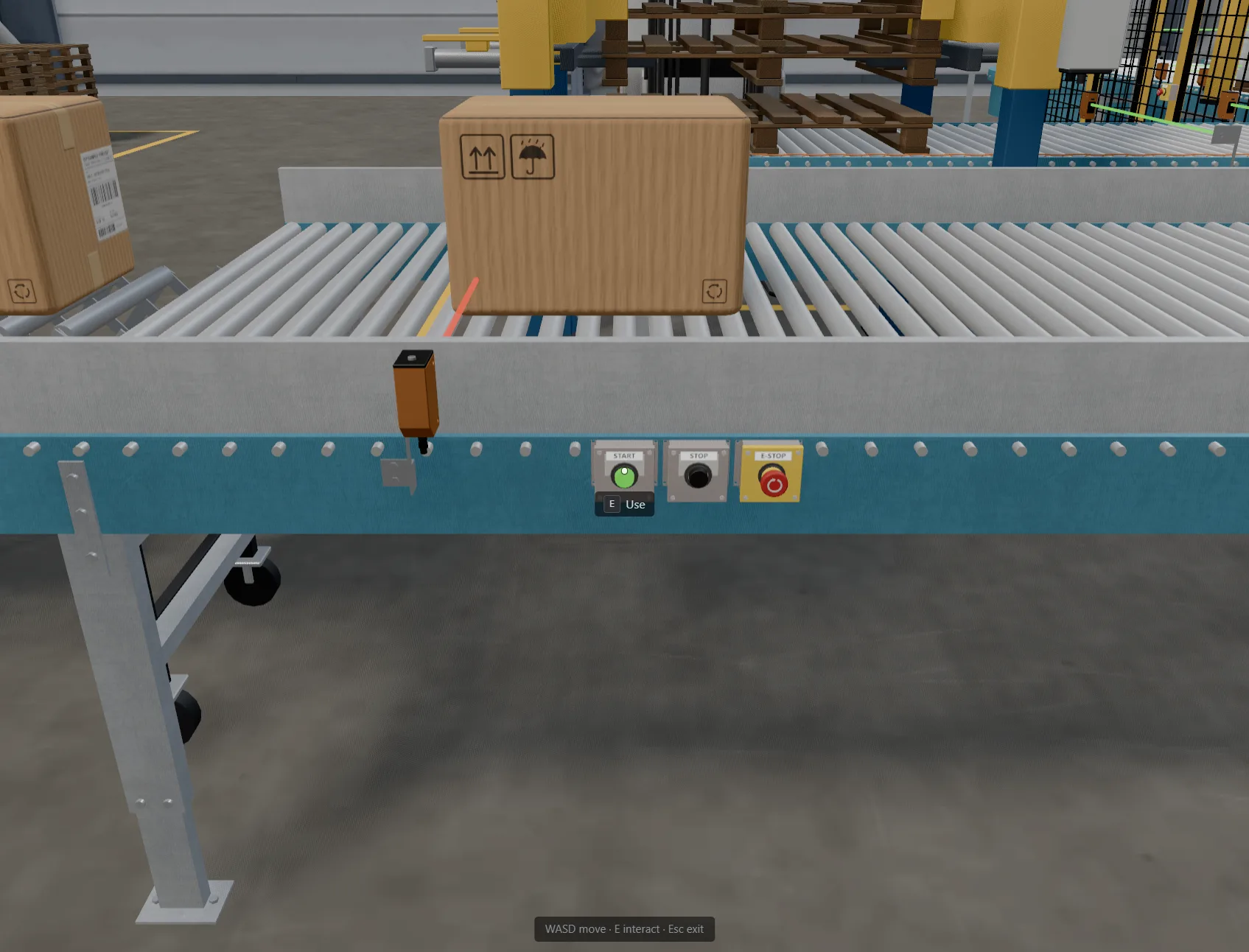
Walk up and press Start
Press P to walk the floor in first person. Push the buttons at the operator station, open the guard, climb onto the platforms. Or put on a headset and walk it in VR.
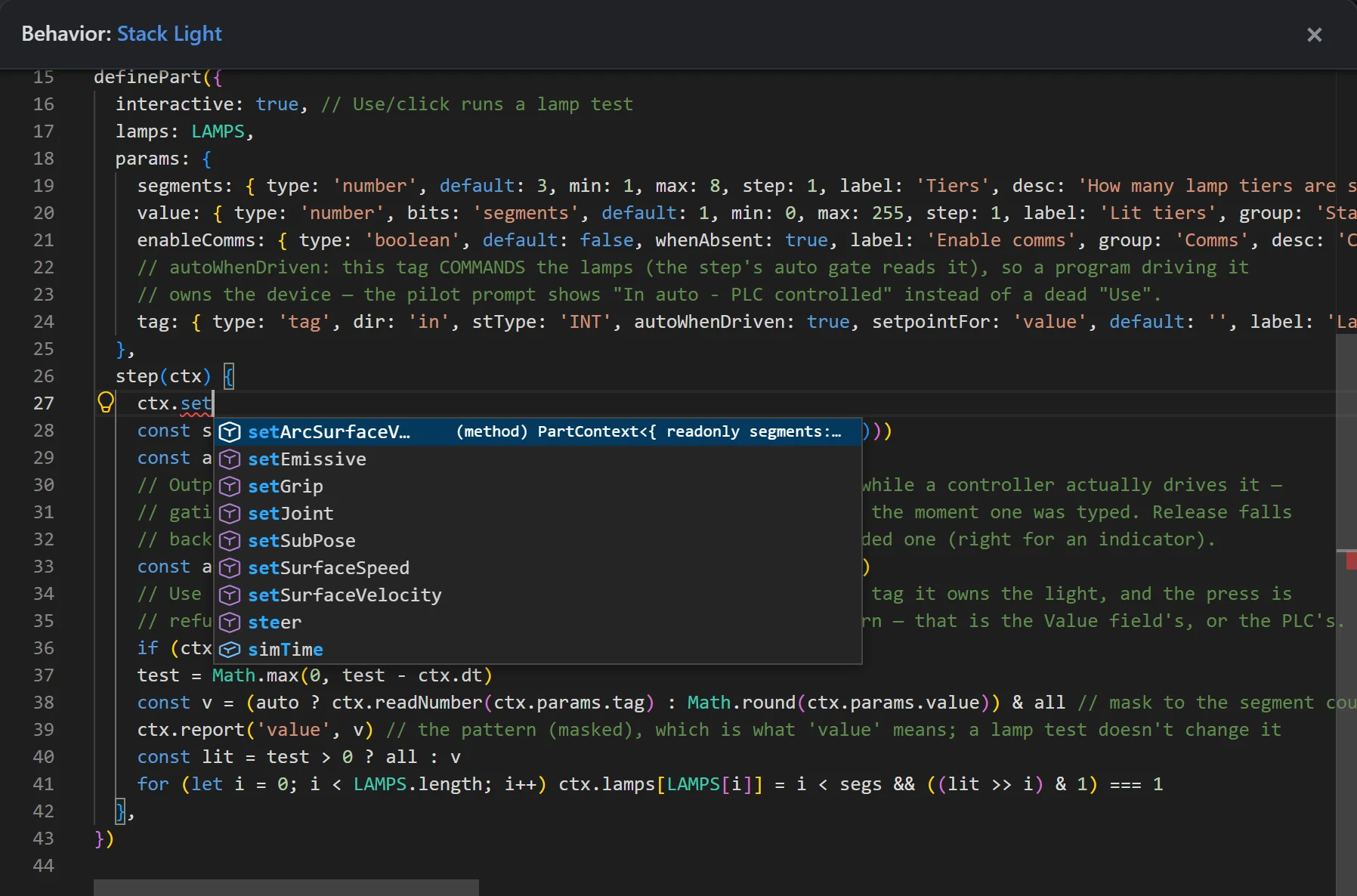
Script your own parts
Every part in the catalog is a package built on the Part SDK, and its behavior is a script you can open. Change one, or start your own with completion for the SDK, and share it as one file.
Build it together
Share an invite link and edit the same line live, or send a view-only link that shows the line without letting anyone change it.
Test the logic, not just the layout
Keep regression tests for a project's control logic with the project, and run them from the editor after each change.
Connect your own PLC to the simulated line.
The desktop app swaps the built-in PLC for yours.
- Bits and analog values both ways, on the protocols above
- Projects are folders on disk; custom parts reload as you edit them
- Windows (signed) and Linux, and it keeps itself up to date
Other distributions: AppImage. Step-by-step connection guides.
| PLC languages | IEC 61131-3 Structured Text and Ladder Diagram, a working subset; not certified. Full list |
|---|---|
| Exchange | .st files, PLCopen XML 2.01 |
| Connections | External PLCs over Modbus TCP, OPC UA, EtherNet/IP, S7 PUT/GET, SLMP or ADS; an OPC UA server for a SCADA or HMI (desktop app) |
| Physics | Jolt, compiled to WebAssembly, multi-threaded |
| Runs on | Any modern browser; Windows (signed installer); Linux (.deb, AppImage) |
| Price | Free. No account, no licence key. |
| Source | Open source under the MIT License, on GitHub |
| Community | Questions and ideas on Discord |
| Built by | autStand, who build lines like these for plants and warehouses |